
Swarm Trap Map
Track every trap on the map
Overview
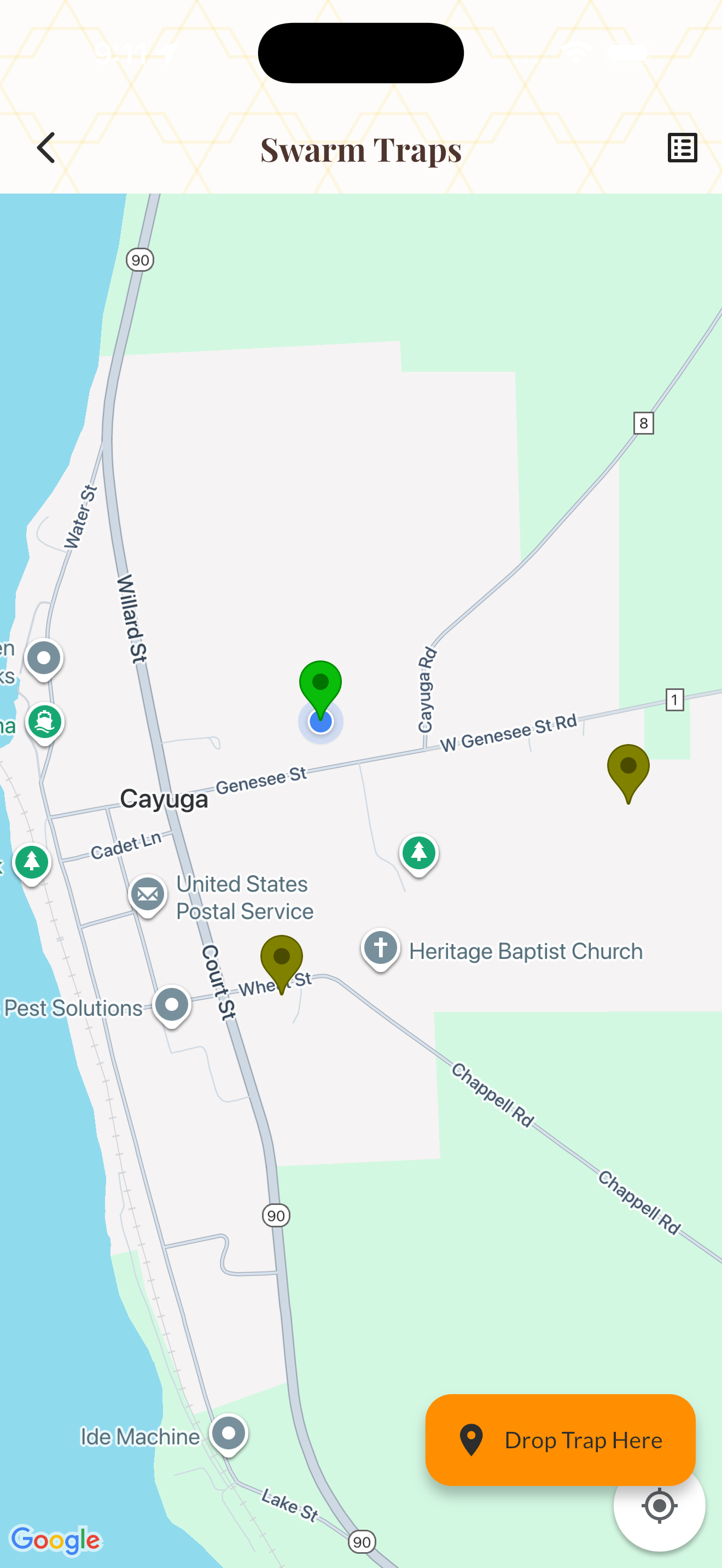
Swarm Trap Map lets you track every bait hive and swarm trap on an interactive map. Mark trap locations, log check dates, and record captures — all with GPS precision.
The map view shows all your traps with color-coded status indicators: empty (purple), scouts spotted (yellow), and caught (green). A list view is also available for offline use or quick reference.
When you capture a swarm, change the status to "Caught" and promote the trap directly to a new hive — selecting which apiary to install it in. The trap is then converted to a full hive record automatically.
How It Works
Open the Swarm Map from the tools menu.
Tap the "Drop Trap" button and pick a location on the map, then name your trap.
Tap any trap marker to update its status: Empty, Scouts, or Caught.
When caught, use "Promote to Hive" to convert the trap into a hive in your chosen apiary.
Tips & Best Practices
- 💡Place traps 6–10 feet high with a south-facing entrance for best results.
- 💡Old brood comb or lemongrass oil makes effective bait for attracting scouts.
- 💡Check traps every 5–7 days during peak swarm season (spring).
- 💡Keep notes on which locations capture swarms — successful spots tend to attract year after year.