Nectar Flow Tracker
Know when to add supers
Overview
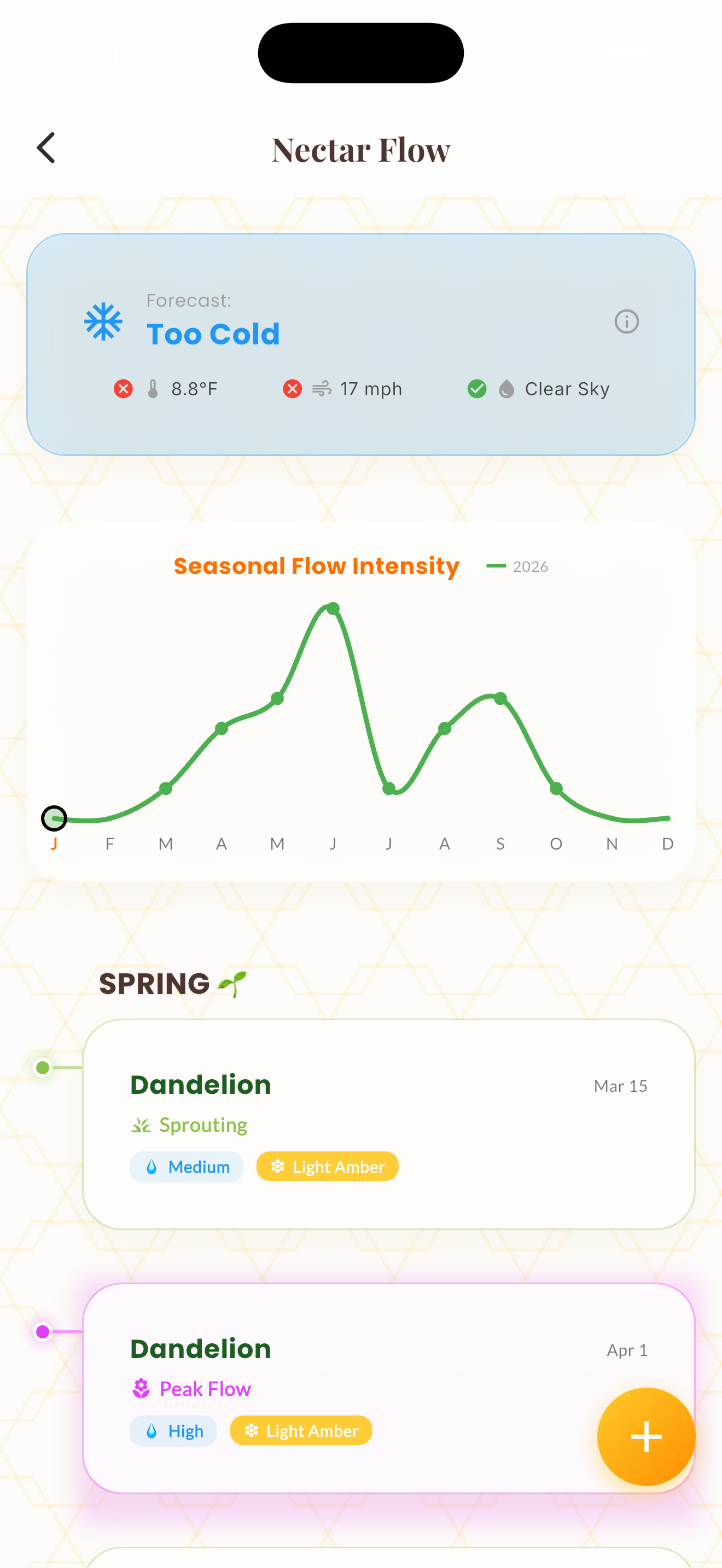
Nectar Flow Tracker helps you monitor bloom activity in your area and time your super additions for maximum honey production. Log blooming plants as you observe them and the app builds a local bloom calendar over time.
The tracker shows which plants are currently blooming, when they typically start and end in your area, and how they correlate with your hive weight gains. Over multiple seasons, this becomes an invaluable phenology record.
Integration with weather data helps predict flow intensity — warm, humid conditions with active blooms suggest adding supers, while cold snaps or drought periods signal potential dearth.
How It Works
Navigate to the Nectar Flow Tracker from the tools menu.
Log blooming plants by name, date observed, and abundance level.
The app builds a visual bloom timeline showing active and upcoming flows.
Use the flow predictions to time your super additions.
Tips & Best Practices
- 💡Log blooms even when you're not at the apiary — nearby roadside observations count.
- 💡The most productive flows often come from tree species: black locust, tulip poplar, basswood.
- 💡Add supers before the flow peaks — waiting until the flow starts means lost production.
- 💡Record bloom start and end dates each year to predict next season's timing.