
Acoustic Analyzer
Diagnose your colony by sound
Overview
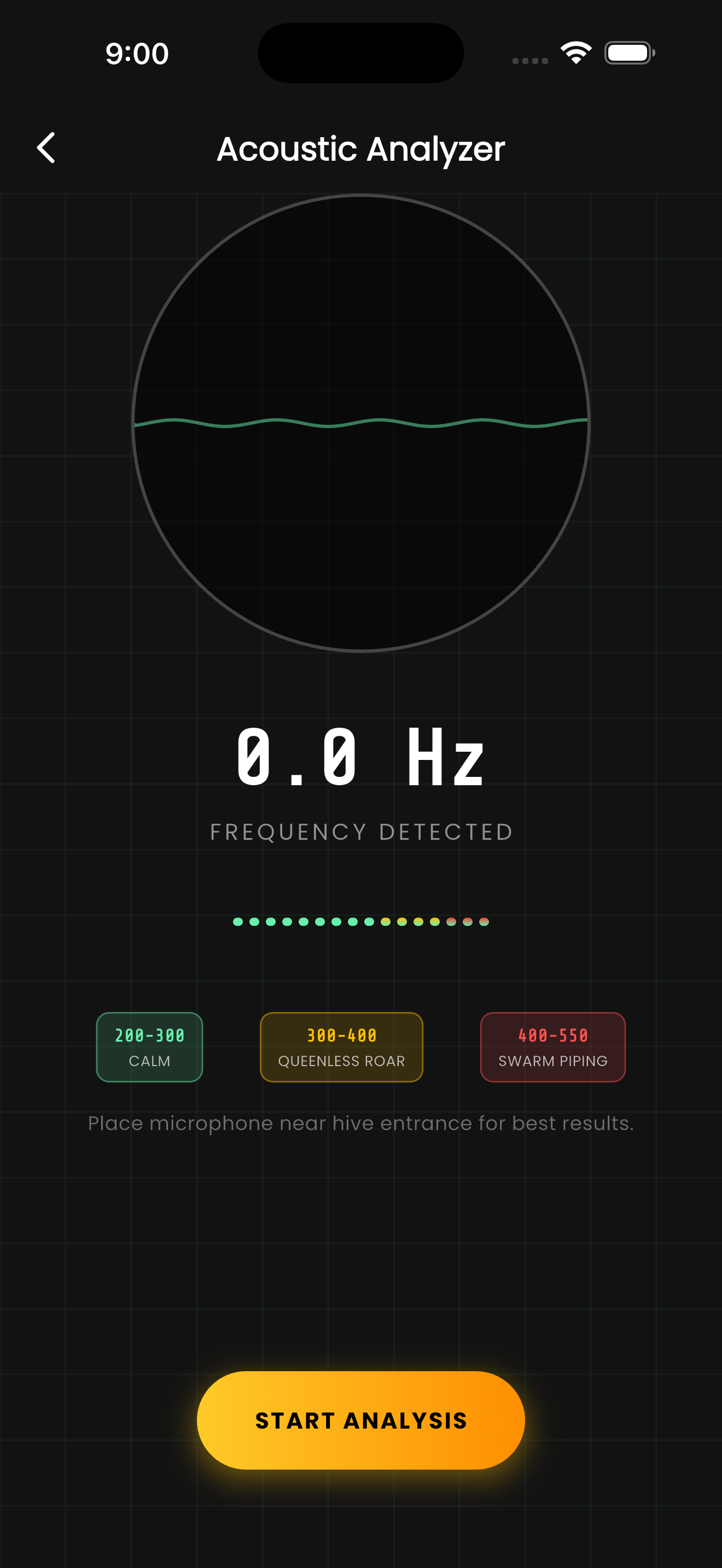
The Acoustic Analyzer uses your phone's microphone to capture and analyze the sounds from your beehive. Different colony states produce distinctly different sound signatures — a healthy, queenright colony hums differently than a stressed or queenless one.
Place your phone near the hive entrance and tap Start Analysis. The analyzer captures a few seconds of audio, runs an FFT frequency analysis, and identifies the dominant frequency. The results indicate general colony mood based on known frequency patterns.
This is a supplementary diagnostic tool, not a replacement for visual inspections. It's most useful for quick checks between full inspections, especially to monitor colonies you're concerned about.
How It Works
Open the Acoustic Analyzer from the tools menu.
Place your phone near (but not blocking) the hive entrance.
Tap Start Analysis and hold steady while the microphone captures audio.
Review the frequency analysis and colony mood assessment.
Tips & Best Practices
- 💡Record at the same time of day for comparable results across sessions.
- 💡Avoid recording during strong wind — it distorts the frequency analysis.
- 💡Early morning or evening recordings tend to be clearest when forager traffic is low.
- 💡Compare recordings over time to establish your colony's baseline sound profile.