Smart Dashboard
See every hive at a glance
Overview
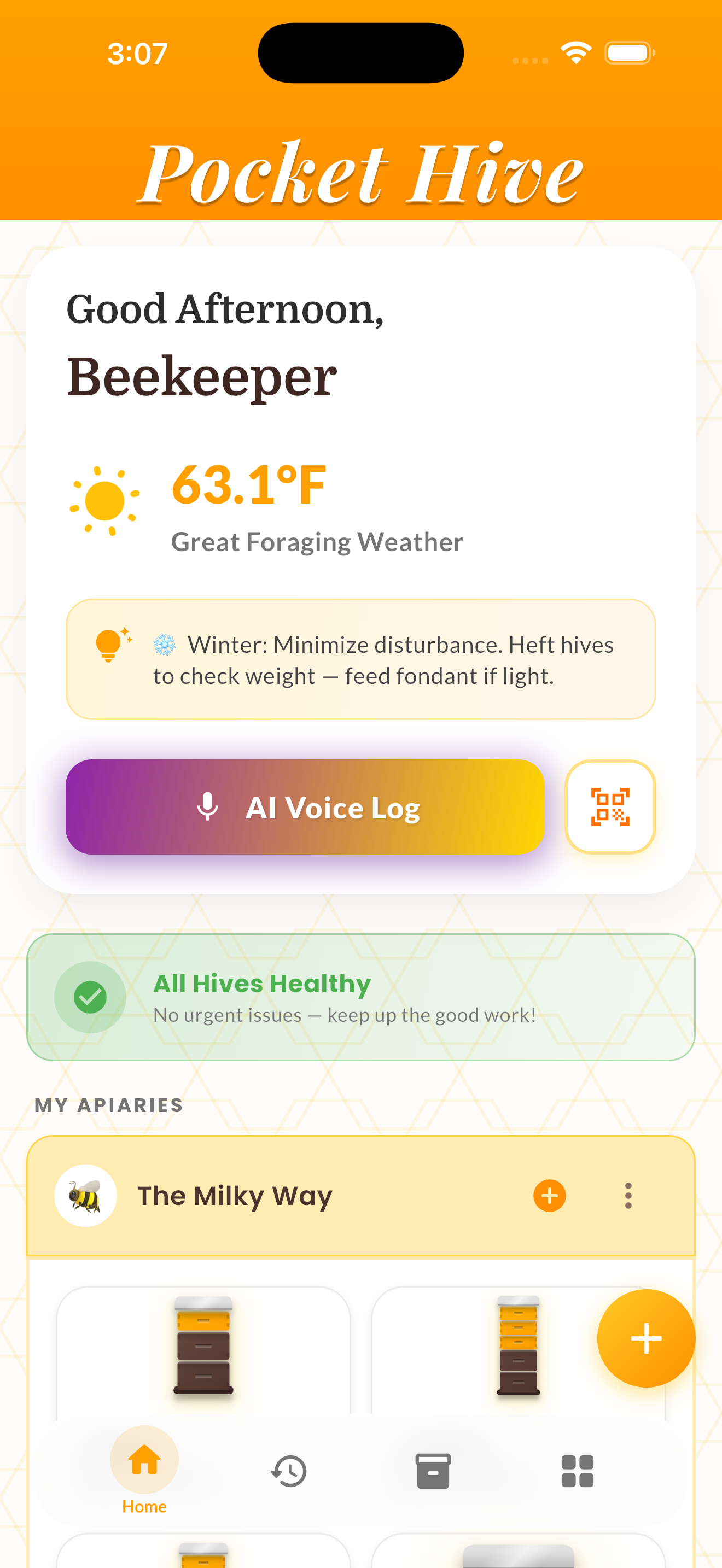
The Smart Dashboard gives you a bird's-eye view of your entire operation. See every hive's status, Hive IQ score, and last inspection date at a glance — whether you manage 2 hives or 200.
Hives are organized by apiary with priority alert chips that highlight what needs attention — overdue inspections, high mite counts, queenless colonies, and seasonal risks. The dashboard also integrates weather conditions and a seasonal management tip.
The web dashboard extends the experience with larger visualizations, side-by-side hive comparisons, and PDF export capabilities for record-keeping.
How It Works
Open the app to land on your dashboard automatically.
Scroll through your apiaries if you have multiple locations.
Tap any hive card to see its detailed inspection history.
Review priority alert chips at the top for items needing immediate attention.
Tips & Best Practices
- 💡The weather widget helps you plan inspection days around favorable conditions.
- 💡Use the web dashboard for data-heavy tasks like comparing hives side-by-side.
- 💡Priority chips are generated automatically from your inspection data — no manual setup needed.
- 💡Tap into any hive for the full health breakdown, risk radar, and trend analysis.