Smart Notes Parser
Speak naturally in any language—AI extracts structured data automatically
✨ Pro Feature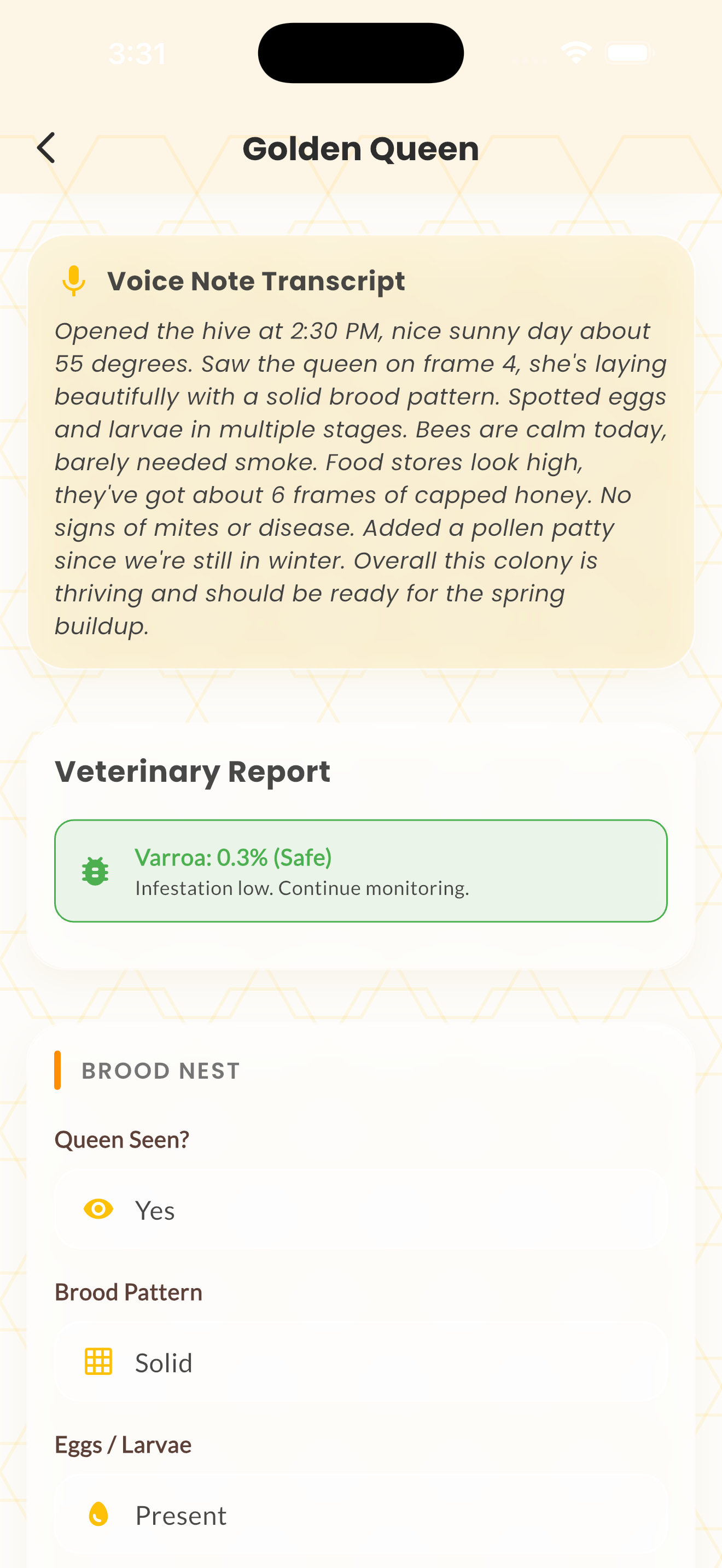
Overview
Smart Notes Parser converts your spoken or typed free-form notes into structured inspection data. Instead of filling in individual fields, just describe what you see and the AI extracts the relevant data points.
Write or speak something like "Saw the queen, good laying pattern, about 7 frames of bees, low food stores, 2 mites on the sticky board" and the parser will populate queen sighting, brood quality, population, food level, and mite count fields automatically.
This feature works in all 12 supported languages, making it especially powerful for non-English-speaking beekeepers who want to describe their observations naturally.
How It Works
Start a new inspection from any hive screen.
Use the microphone to dictate your observations, then tap the "Analyze Notes" button.
Speak or type your observations in natural language.
The AI parses your notes and populates the inspection form fields.
Review the extracted data, make any corrections, and save.
Tips & Best Practices
- 💡Include specific numbers when possible — "about 8 frames" is better than "lots of bees."
- 💡Mention queen status, food stores, and pest observations for the most complete auto-fill.
- 💡You can use Smart Notes and then manually adjust any fields before saving.